Stage library
The stage library holds your saved stages. Open it from the drawer: Library > Stages.
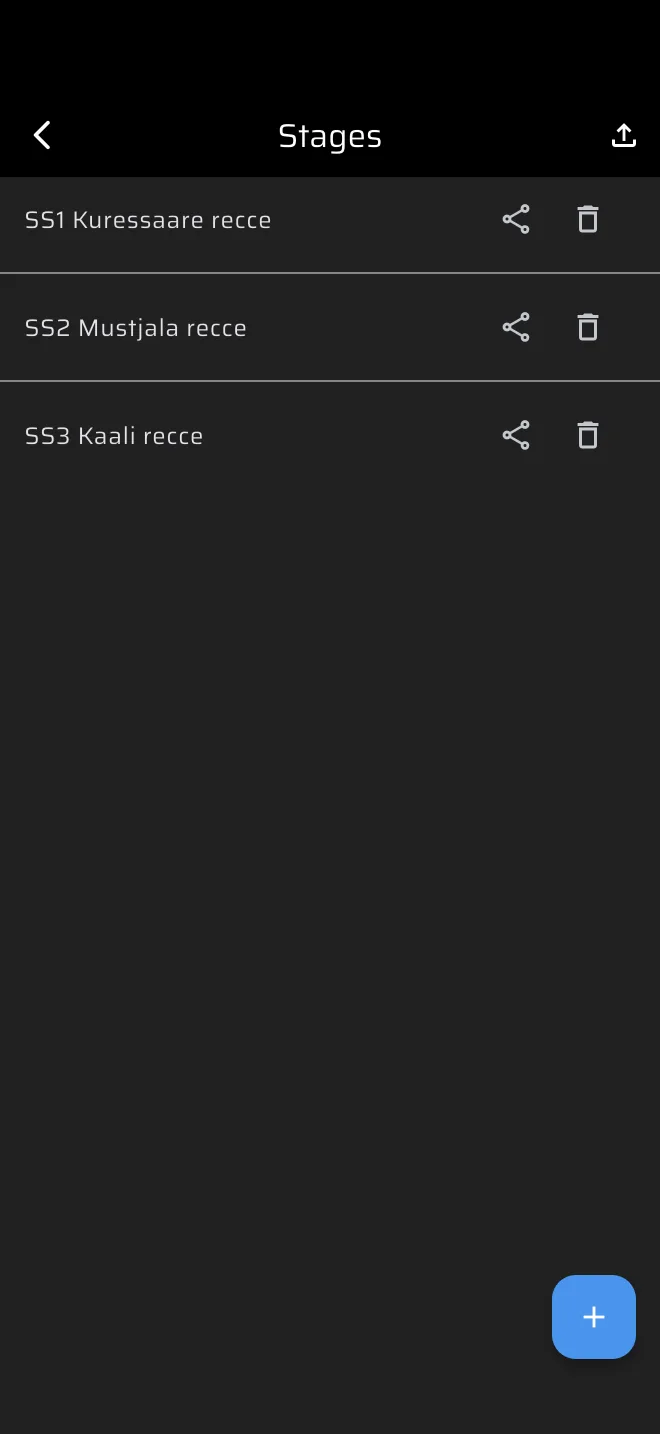
The list
The Stages screen is a plain list with the name of each stage, or Untitled for a stage without a name. The list has no search, no sorting and does not show the stage type. Give your stages names that say what they are, for example "SS1 recce" and "SS1 race".
On each row:
| Control | What it does |
|---|---|
| The row | Opens the stage in the editor. |
| Share icon | Sends the stage as a file, see Sharing stages. |
| Bin icon | Deletes the stage. |
The plus button at the bottom right makes a new stage. The upload icon in the app bar, Import stage, imports a stage file.
When you open the library from the stage sheet with the folder icon (Load), or with From library on the no-stage screen of a mode, the same list opens as a picker. Tap a stage and its values fill the stage sheet.
Sync
Stages are stored online under your account. A stage you save without a connection is kept on the phone and goes out when the phone is online again. A guest has an anonymous account, so a guest's stages are saved too, but they stay with that phone. Sign in to see the same stages on every phone, see Account and sign-in. A guest sees a banner, Sign in to sync your data across devices.
The library is not limited by your plan. Without Pro, driving a Race, Recce or Regularity stage uses the daily Pro fuel, see Running a stage.
Delete
The bin icon asks first. The dialog is titled Delete and shows the stage name. Delete removes the stage, Cancel keeps it. There is no undo. The bin in the editor asks the same, and closes the editor after the delete. Deleting a stage does not touch runs that are already in History.