Race
Race mode times one stage: a Stage Timer, the stage and section trips with their averages, your speed and the highest speed of the stage. It is a Pro mode, see Plans.
The app times from the phone's GPS and clock. It is for the crew's own reference, not official timing.
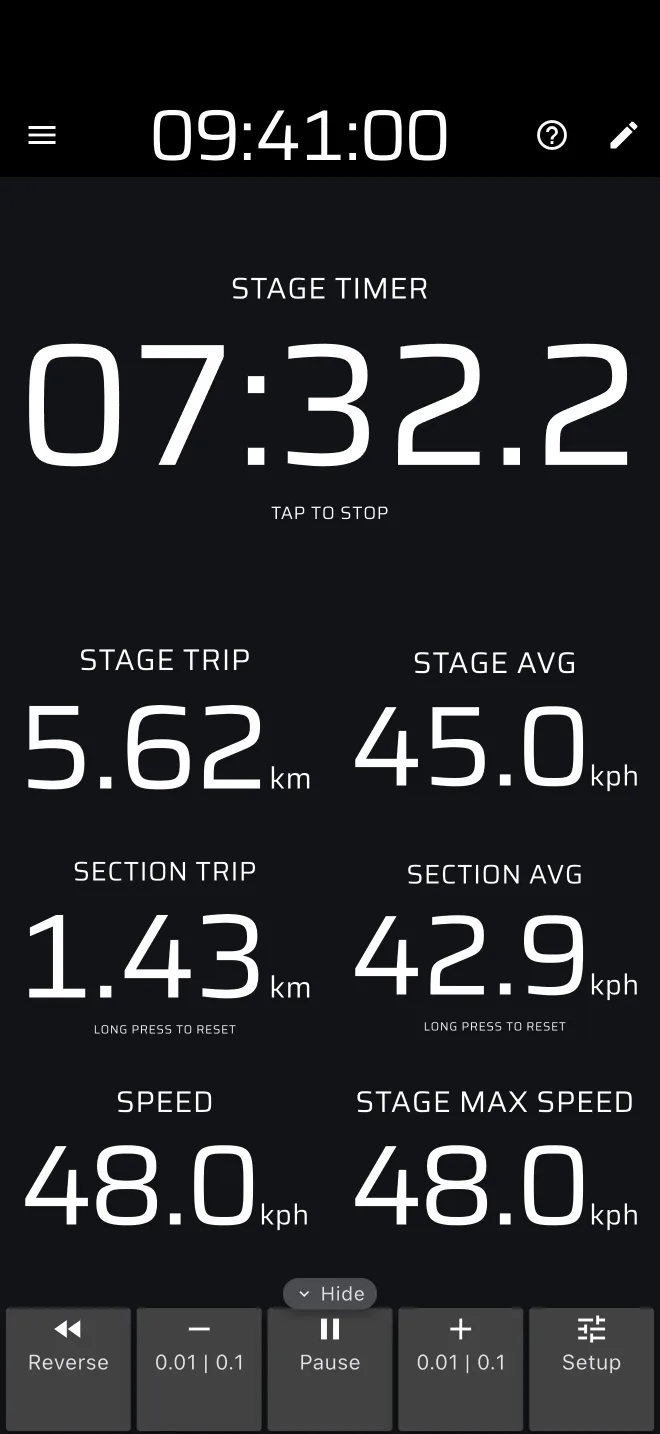
The screen
| Component | Shows |
|---|---|
| Stage Timer | The stage time in tenths of a second. Before the start it shows what the stage waits for. |
| Stage Trip | Distance since the start of the stage. |
| Stage AVG | Average speed since the start of the stage. |
| Section Trip | Distance since you last reset the section. The hint reads Long press to reset. |
| Section AVG | Average speed since you last reset the section. |
| Speed | Your GPS speed. |
| Stage Max Speed | The highest speed since the start of the stage. |
At the bottom (right, in landscape) is the Trip toolbar. There are no stage buttons in this mode. You work the stage with the Stage Timer, or with a Bluetooth button.
Once a stage is set the stage and section trips read zero. They count while the stage runs and stop at the finish.
The ? in the app bar offers Quick guide (tips on the live screen, while Demo mode drives the car) and User Manual.
With no stage
With no Race stage, the mode shows its no-stage screen: Time a stage, from start to finish. It has these buttons:
- Start a stage now starts a stage at once, with no form. The timer runs from the tap. Tap the Stage Timer at the finish. This is the quickest way to time a run.
- Create a stage opens the stage sheet, see below.
- From library (when you have saved stages), Quick guide and User Manual.
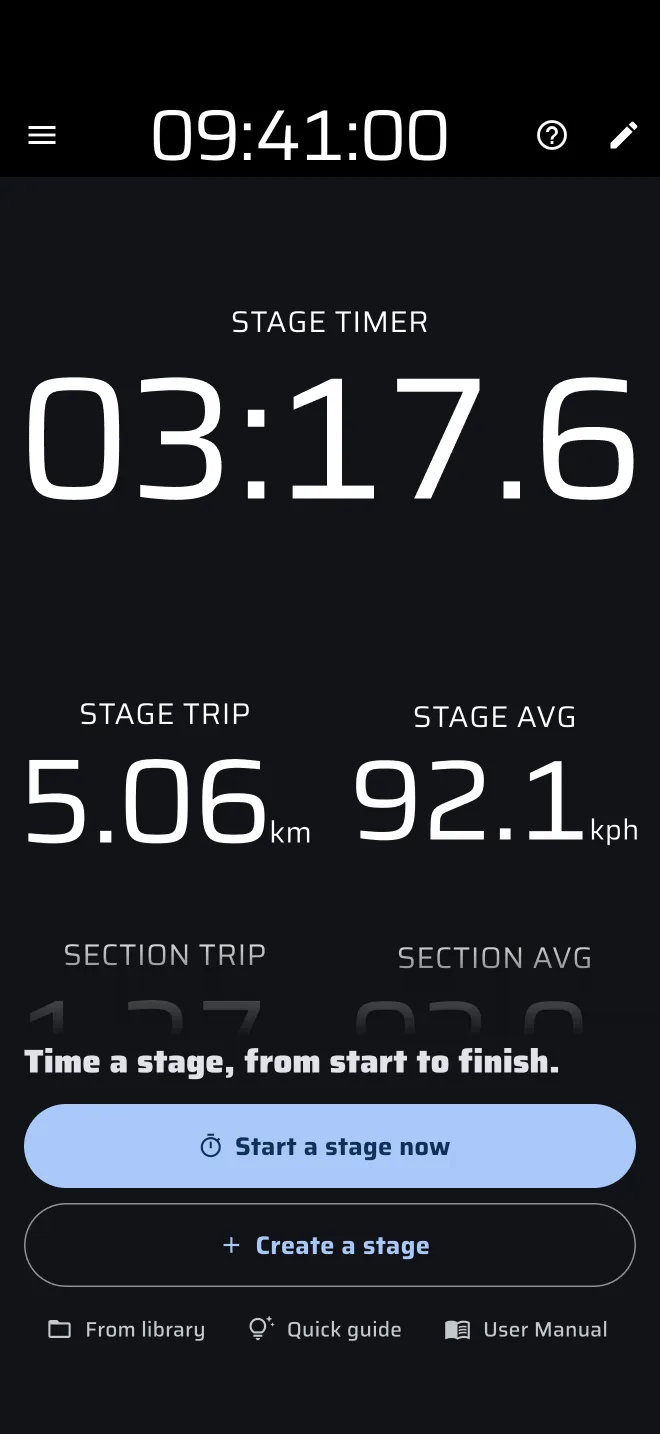
The mode also shows this screen while a stage of another type, Recce or Regularity, is loaded. See Running a stage.
The Stage Timer
The Stage Timer is a button as well as a clock. What a tap does depends on the state of the stage.
| State | Header and display | Hint | A tap |
|---|---|---|---|
| Waiting, Tap start | Stage Timer | Tap to start | Starts the stage. |
| Waiting, Time start | Start time, the start time, then a countdown in the last 30 seconds | Tap to reset | Cancels the stage and clears the trips. |
| Waiting, Line start | Stage Timer | Cross the startline, Tap to reset | Cancels the stage. |
| Running | Stage Timer, the time | Tap to stop for a Tap finish, otherwise empty | Finishes the stage, whatever the finish signal. |
| Finished | Stage Timer, the final time | Tap to reset | Clears the stage. The no-stage screen comes back. |
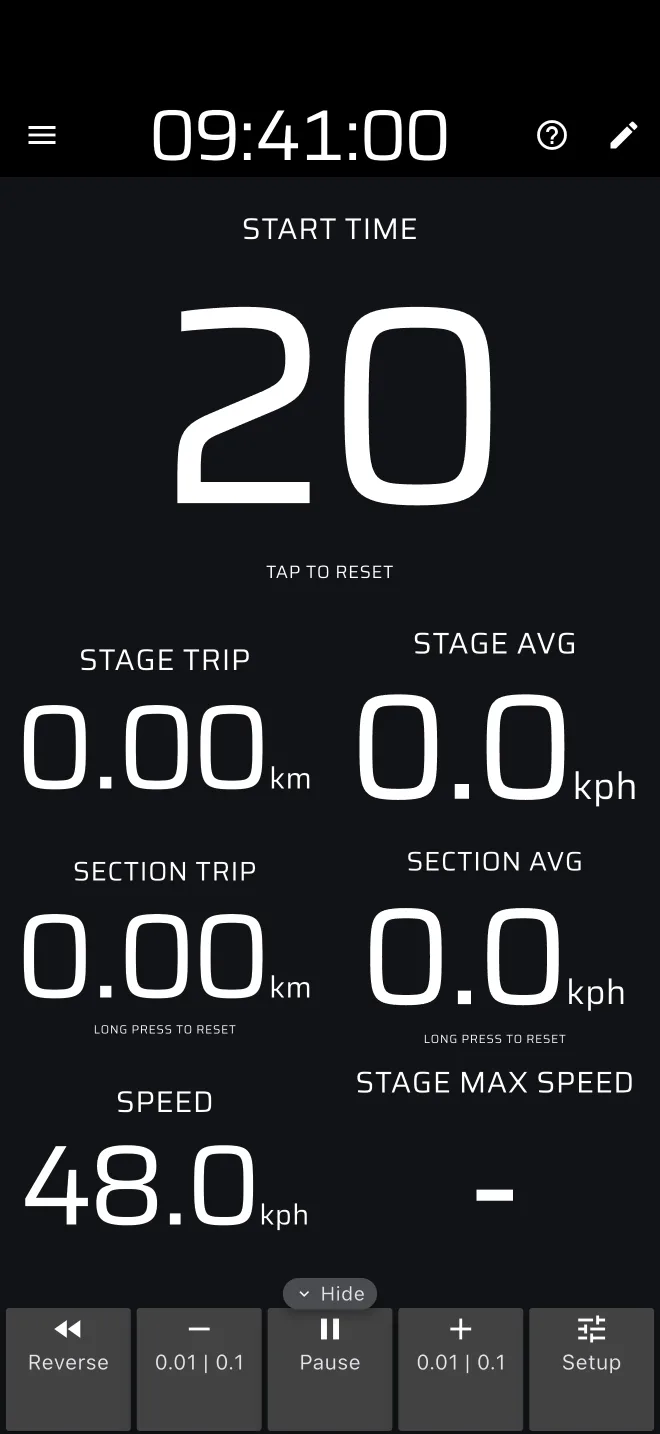
A tap on the Stage Timer finishes a running stage, even when the stage finishes by Time or Line. While a Time or Line start is waiting, the tile says Tap to reset: a tap cancels the stage, and the no-stage screen comes back.
In a custom layout the Stage Timer shows Set and Tap to set when there is no stage, and a tap opens the stage sheet. There a finished stage reads Tap to set, and a tap opens the stage sheet for the next stage.
The stage sheet
Opening the stage sheet from this mode always makes a Race stage. Open it with Create a stage or From library on the no-stage screen. The sheet has:
- the Stage name field at the top, with a save icon and a folder icon (Load) for the stage library;
- Start signal and Finish signal, each Tap, Time or Line. See Start triggers;
- Start.
A name is optional. The app saves an unnamed stage as Untitled. The sheet and its own Quick guide are described in Running a stage.
Resetting the section
The section trip is for splits. By default a long press on the screen resets Trip 1, Trip 2 and the Section Trip. A tap resets Trip 1 only. To make a tap reset the section, add Reset Section Trip to the tap actions in Settings > User inputs.
After the finish
The final time stays on the screen. The run is saved to History automatically, with its track. A stage that you cancel before it starts is not saved. See Viewing history.
The stage you started stays loaded when you change mode, and the other modes show its trips too. Only one stage runs at a time, see Running a stage.
Limits
- There is no start or finish by distance.
- A Time start whose time has already passed starts at once, counting from that earlier time.
- The section times are not stored in History.
Plans
Race is a Pro mode. Without Pro, real driving in it uses the daily Pro fuel, see Running a stage and Licences and plans. Demo mode lets you try it without fuel.