Trip toolbar
The trip toolbar sits at the bottom of the screen in portrait and at the right in landscape. It corrects and stops the trips. Tripmeter, Average speed, Liaison, Race, Regularity | TSD, Rally Raid and Recce have it. Map does not, and neither does the no-stage screen of a stage mode. In a custom layout it is the Trip Toolbar component.
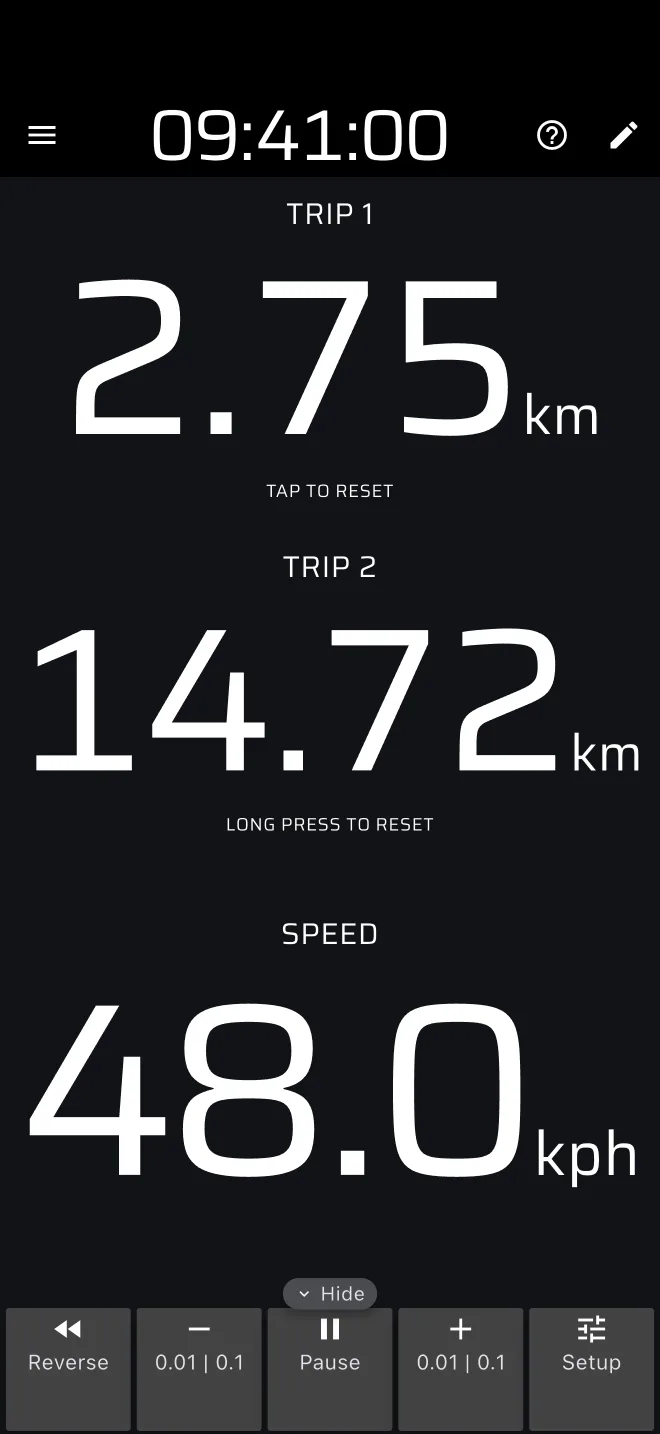
The small arrow tab on the edge of the toolbar folds it away and brings it back. The app remembers which you chose.
The buttons
| Button | Tap | Hold |
|---|---|---|
| Reverse | Switches reverse counting on or off. | none |
| - | Takes 0.01 off every trip, in each trip's own unit (10 m, or 0.01 mile). | Steps of 0.1 downwards, repeating, faster the longer you hold. |
| Pause | Stops or resumes the trips. | none |
| + | Adds 0.01 to every trip. | Steps of 0.1 upwards, repeating, faster the longer you hold. |
| Setup | Opens the setup sheet. | none |
The plus and minus buttons are labelled 0.01 | 0.1.
All four buttons act on all the trips at once: Trip 1, Trip 2, Section Trip and Stage Trip. A correction made at a landmark keeps them in step.
Reverse
While Reverse is on, the trips count down as you drive forward. The button stays lit. Use it when you take a wrong turn and drive back: switch it on for the way back and off when you are on the route again. The time of the trips keeps running, so an average speed falls while you are reversed. Do not leave it on by mistake.
Pause
While Pause is on, the trips do not change when you move. The button stays lit. The time of the trips stops too, so an average speed is not diluted by the stop. A Regularity stage keeps its ideal time running, because that is a clock and not a trip.
Plus and minus
A tap is one small step, 0.01 km (10 m) or 0.01 mile. Hold for 0.1 steps. Each trip steps in its own unit from Settings > Units, so a Trip 1 in miles moves by 0.01 mile while a stage trip in km moves by 10 m. Plus and minus change the trips only. The calibration factor lives in Settings, not here, see Calibration.
The same steps are available as actions for a Bluetooth button: Distance +10, +100, -10 and -100.
Setup
Setup opens a sheet with one block per trip: Trip 1, Trip 2, Section Trip and Stage Trip. Each block shows the distance and the Average speed of that trip, and its own small toolbar with Reverse, -, Pause, + and Set. Here the buttons act on that trip alone.
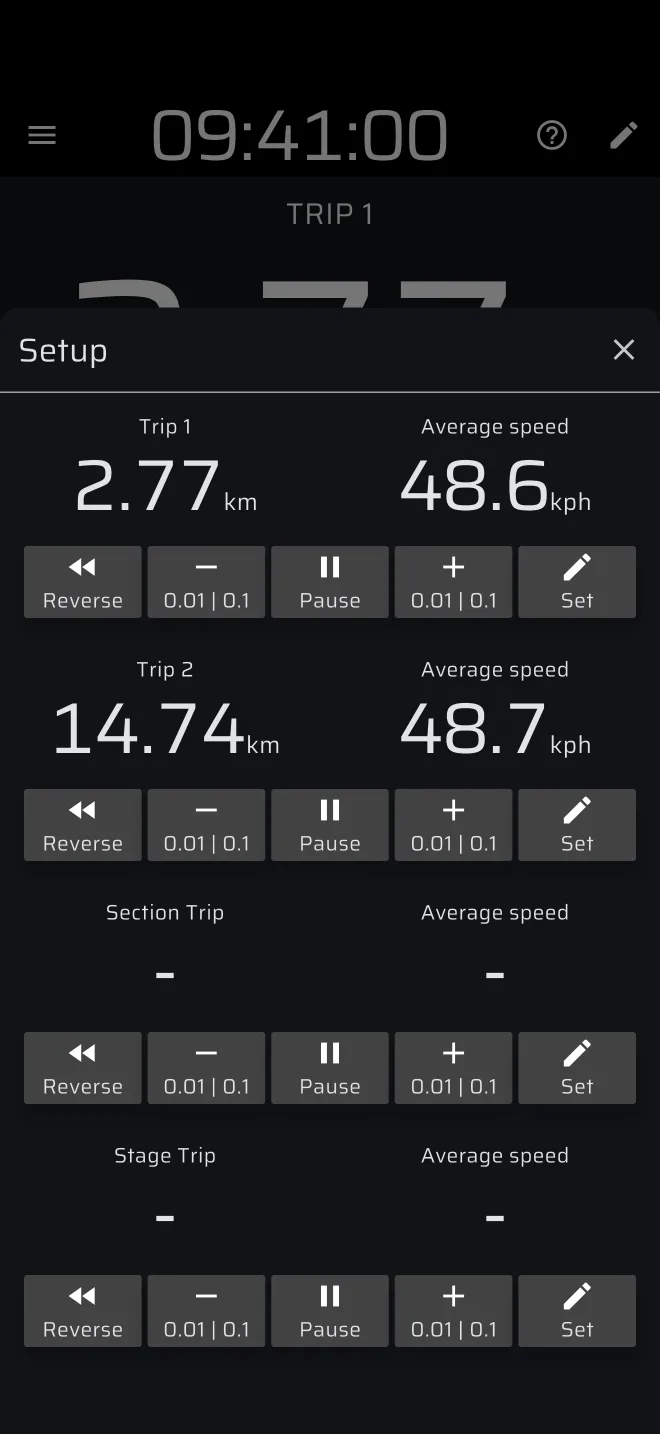
Set opens a sheet for that trip with two fields:
- Distance: the new distance of the trip.
- Average speed: the average speed you want it to show. The app works back to the elapsed time that gives that average over the distance.
You can fill one or both. Tap Set to apply. With both empty nothing changes. Use it to continue a trip from a roadbook value, or to restore a trip after a restart.
Section Trip and Stage Trip are empty until a stage runs.