Speed limits (Recce)
The speed limits of a Recce stage tell the Recce mode what limit applies where, so that it can show the limit and warn you when you go over.
Recce stages only
The Speed limits list exists in a stage of the type Recce. A Race stage has none. A Regularity stage has the speed chart, which holds target speeds and not limits.
Define the limits
In the stage editor, or in the stage sheet of Recce mode, the Speed limits list starts with 0.00 km, then has one row per section, each with a minus button on the left that removes it, and ADD SECTION at the bottom.
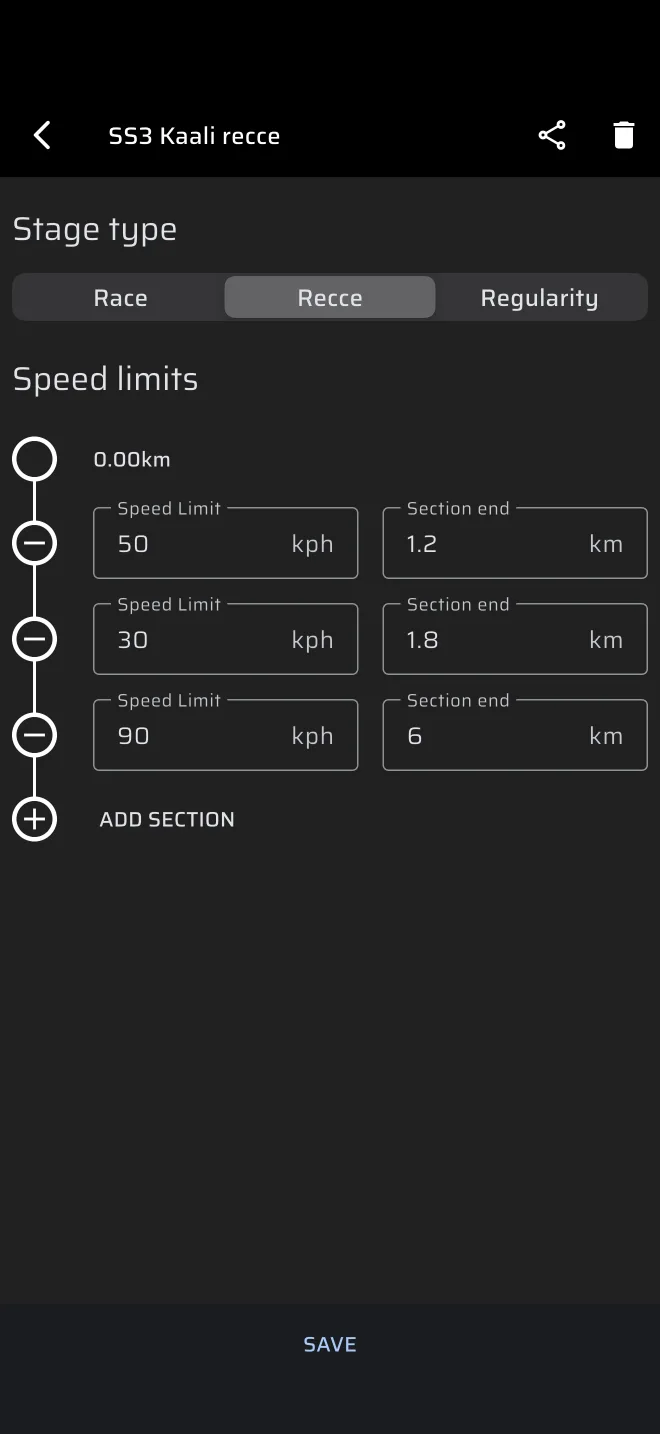
- Tap ADD SECTION.
- In the new row enter the Speed Limit (in the Speed unit, kph or mph) and the Section end, the distance where this section ends (in the Distance unit, km or mi).
- Add a row for each further section.
- Tap SAVE in the editor, or the save icon in the sheet.
Section end is a distance from the start of the stage, not the length of the zone. Each section end must be larger than the one before, or the field says Less than previous. An empty field says Enter value, and a speed of zero or less says Invalid input.
The first section starts at 0. Each next section starts where the previous one ended. After the last section end there is no limit and the sign shows -.
Example. A 60 km/h zone for the first 2.4 km, then 40 km/h until 3.1 km, are two rows:
| Row | Speed Limit | Section end |
|---|---|---|
| 1 | 60 | 2.40 |
| 2 | 40 | 3.10 |
Copy the limits from the supplementary regulations. They differ between events.
What happens during the stage
The stage trip is measured from the moment you press Start. The limit of the section you are in is shown on the Speed Limit sign, and changes by itself as the trip passes each section end.
- While your speed is within the limit, the ring of the sign is grey.
- Over the limit the ring turns red, and the app plays one long beep at the moment you cross. The speed that is compared includes your calibration factor.
- Sync buttons in the stage toolbar set the stage trip to the start or end of the current section. Use them when you pass the sign and the trip has drifted.
There is no amber warning level and no warning before you reach the limit. See Recce.
The limits are advisory
The warnings follow the GPS speed, which can differ from the speedometer of the car. The rules of the event decide.