Importing and exporting (GPX)
Routes leave and enter the app as files. Exporting uses the share sheet of the phone. Importing uses the file picker.
Export a route
- Open Saved Routes in the drawer.
- Tap the Export route icon on a card, or on the route screen.
- In the Export Route sheet, tap a format.
- The share sheet opens with the file. Send it to email, a messenger, cloud storage or AirDrop.
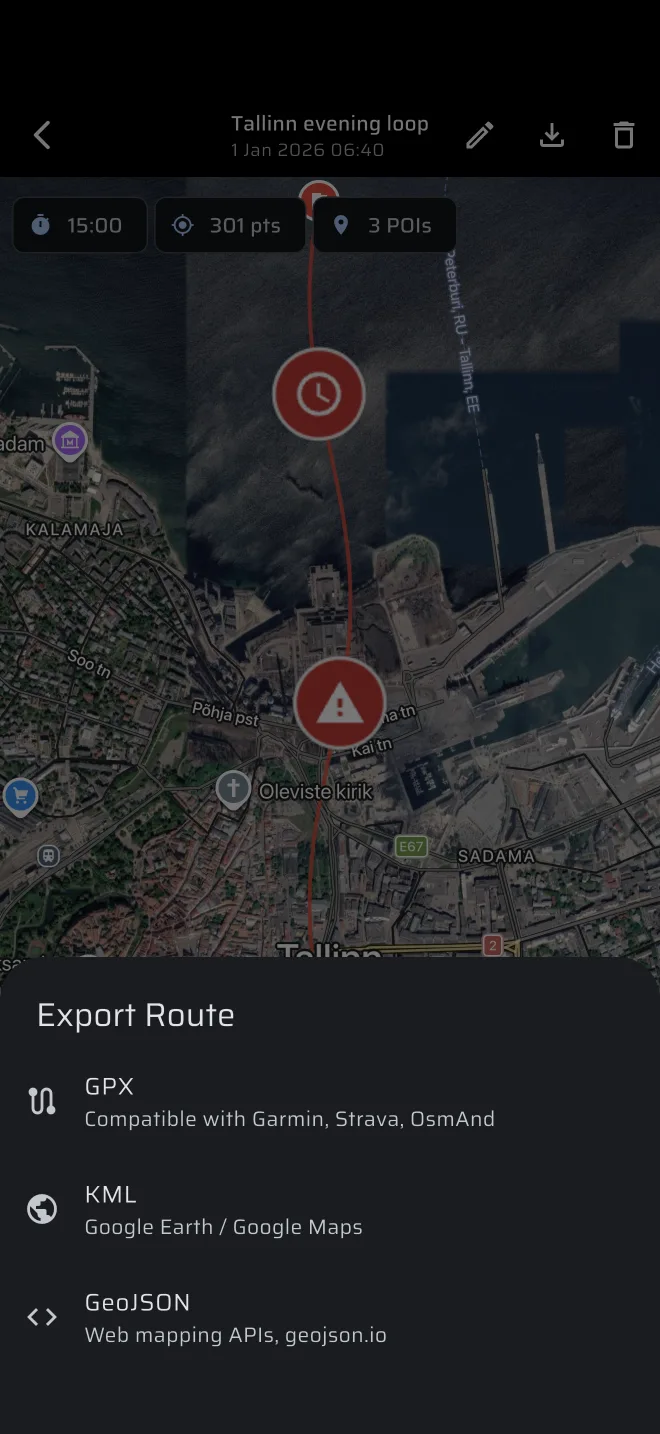
| Format | Use it for |
|---|---|
| GPX | Garmin, Strava, OsmAnd and most GPS software. The safe default. |
| KML | Google Earth and Google Maps. |
| GeoJSON | Web mapping tools such as geojson.io. |
The file is named RT_<name>_<date>.<extension>, for example RT_SS1_recce_2026-10-08.gpx. A route without a name is called Route.
What the file holds:
- the track, with altitude and, in GPX, the time of every point;
- every POI, with its name, description and type. In GPX they are waypoints.
If something fails, the app shows Export failed. Please try again.
Import a route
- Open Saved Routes.
- Tap the Import route icon in the top bar.
- Pick a file. The app accepts
.gpx,.kml,.geojsonand.json. - A message Imported:
confirms it. The route appears in the list.
The app cannot import by opening a file from another app. Always start from the Import route icon.
If the file has no usable track, the app shows Could not parse file.
What the importer reads
GPX.
- It reads the track points of all tracks and joins them into one route.
- If the file has no track, it uses the planned route instead. Route planners often export that.
- Waypoints become POIs. A waypoint type that matches one of the app's POI types keeps it. Others become POI.
- The name is the first track name, the name in the GPX metadata, or the file name.
KML. It reads Google Earth tracks, or the line strings. Point placemarks become POIs.
GeoJSON. It reads line strings and multi-line strings as the track, and points as POIs. A FeatureCollection, a single Feature and a bare geometry all work.
Points without a time get the time of the import. Such a route shows a duration of zero. The track itself is fine.
For using an imported track in a rally raid, see Tracks and GPX.