Live notes
While a pacenote recording runs, the app generates notes as you drive. You can watch them on the Pacenotes screen, or ignore them and look at them afterwards. The live notes are a quick look during the recce, not the finished notes. They can change when you open the recording, because the app then generates the notes again from the whole drive.
Open the live view
- In the Pacenotes mode, the live view replaces the start screen as soon as a pacenote recording starts.
- From anywhere else, open Recce recordings from the drawer, under Library. While a recording runs, a card at the top reads Recording with the elapsed time and tap for live notes. Tap it to open a full-screen live view with the Stop button.
Two displays
The app bar has an icon that switches the display. Before the start it opens a menu, and while live one tap steps to the other display.
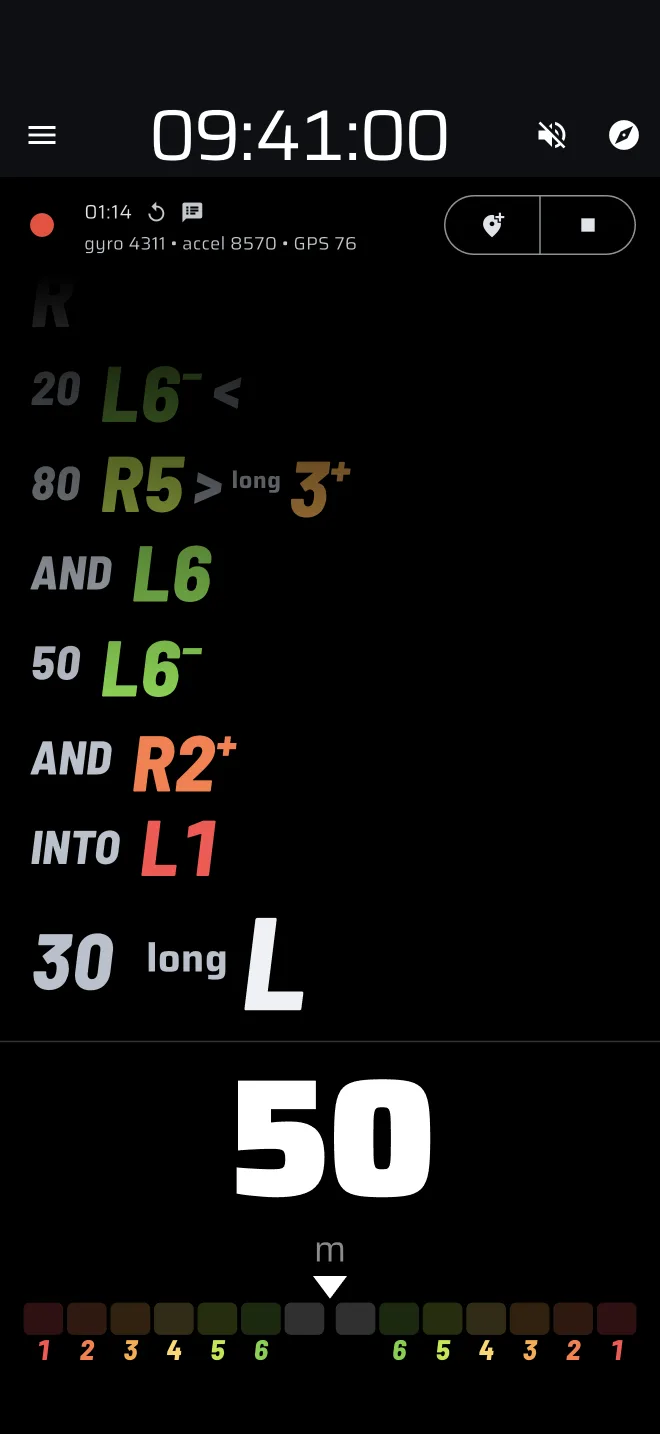
Live calls is the one you see first. From the top:
- The crest lamp, when crest calls are on.
- The passed notes, newest first. The newest is large and the earlier ones are smaller.
- A flat dial at the foot.
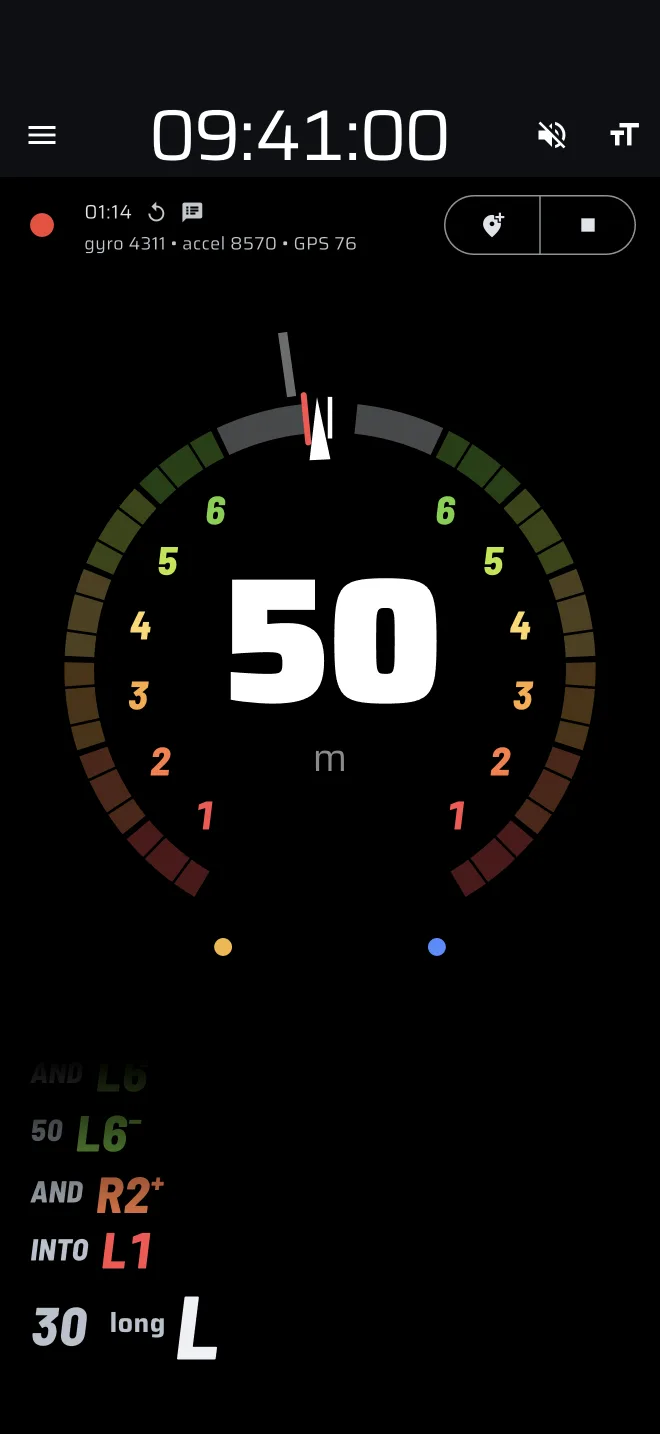
Angle dial is a round dial with the last notes under it. The dial shows:
- A needle where the car is turning now.
- Left corners down its left half, right corners down its right half and a straight at the top.
- A red notch at the tightest the corner has been so far.
- A histogram of where the corner spent its time, which is what sets its grade.
- In the middle, the call while you corner: side, grade, a half-grade sign and the angle in degrees. On a straight, the middle shows the distance since the last corner.
The flat dial of Live calls shows the same needle, middle and tightest-point mark on a straight track.
Both displays turn sideways when you rotate the phone.
When notes appear
A corner becomes a note once you have left it. The app calls it when the car is about 20 m past the end of the corner. The newest note therefore always lags the road a little.
At the start the generator needs a few bends to calibrate. The notes begin after it has seen enough cornering. If a later pass fails, a red banner shows the error.
The crest lamp
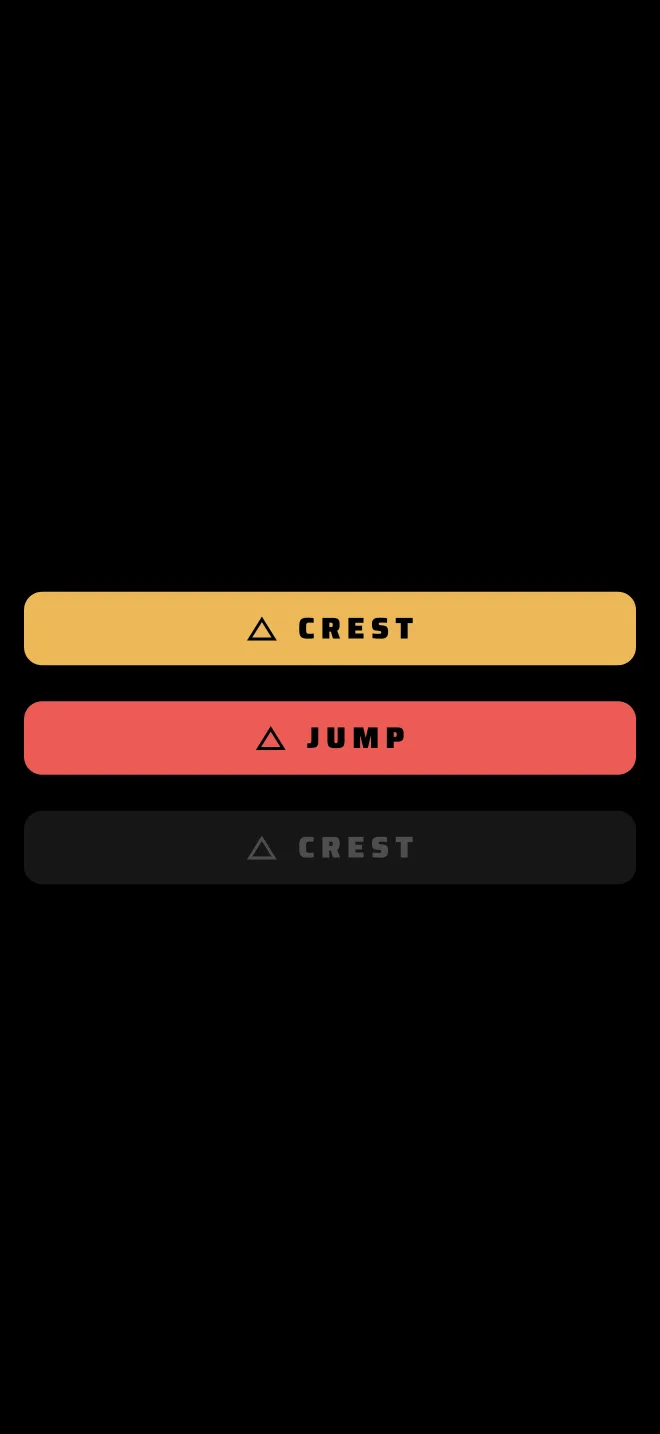
The lamp is a tile with a triangle and the word for a crest. It lights amber for a crest and red for a jump while the car is on one.
The lamp only shows when crest calls are on. They are off by default. Turn them on with the crest slider in Tuning the notes.
Spoken calls
The live view can say the calls aloud. Tap the speaker icon in the app bar (Speak calls). It is off by default.
- Each note is said once, in road order, after it has settled.
- The voice speaks the app's language when the phone has a voice for it, and English otherwise.
- Turned on mid-drive, it starts from there. It does not read the drive so far.
The volume keys stay the system's, so they set the voice volume.
The replay has its own voice
The spoken co-driver in the replay and the Play the call button in the note editor are separate from this switch.
Stop the recording
Tap Stop in the recording bar, or in the full-screen live view. The recording is saved and appears in Recce recordings.