Recce and pacenotes
Pacenotes turn your recce drive into notes. You record the recce with the phone mounted in the car. The app reads the phone's sensors and writes a note for each corner and, if you turn them on, each crest. This guide covers the whole path, from recording to printing.
Pacenotes are in early access. Pacenotes is in the Stage rally group of the drawer, with an Early access badge, and Recce recordings is under Library. You do not need a plan to use them now, and they do not use Pro fuel. The notice the app shows before a recording says they stay free during the beta, at least until the end of 2026, and become part of the Max plan after that.
What pacenotes are, and what they are not
The notes are generated from the sensors while you drive the recce. You can watch them arrive live, replay the drive with a spoken co-driver, correct any note by hand and print the result as a pacenote book.
They are an aid. They do not replace writing your own notes, and they can be wrong, in particular on flat roads or when the phone mount moves. The app puts it this way before every recording:
Generated pacenotes are an aid, not a guarantee. Rally Tripmeter is not responsible for their quality, completeness or correctness — the driver and co-driver remain responsible for reading the road.
Check the notes against the road
Read the notes on a second pass of the stage before you trust them. Crest calls are the least reliable part, and they are off until you turn them on. See Tuning the notes.
How it flows
- Record the recce with the phone fixed in the car.
- Watch the live notes while you drive, if you want to.
- Open the recording afterwards and replay the drive.
- Edit the notes and print them.
- Tune the generator and generate again if the notes are not right.
What you need
- A rigid phone mount. The generator solves the phone's orientation by itself, so any angle works. The phone must not move until the finish.
- A charger. GPS, sensors and the camera drain the battery fast.
- A clear view of the sky. Windshield or dash placement works best.
- Location permission. A recording does not start without it.
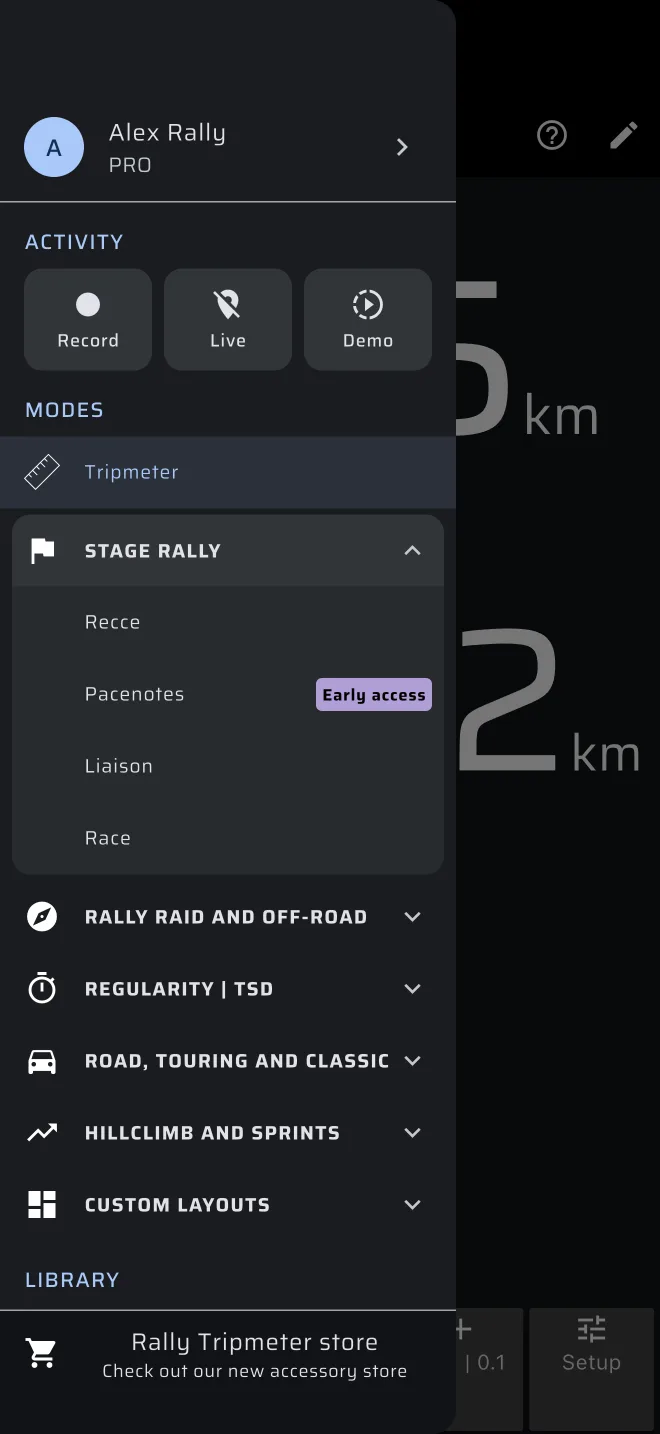
Where to find it
Open the drawer. There are two entries:
- Pacenotes, in the Stage rally group: the mode where you start a recce and watch the notes live. Pacenotes has no Quick guide. Use Demo on its start screen to try it without driving.
- Recce recordings, under Library: your recorded recces, with their notes.