Calibration
The app counts distance from GPS. Your organiser measured the route another way, so the two distances rarely agree to the last ten metres. The Calibration factor is one number that corrects the difference. This page shows what it does, where it is and how to find the right value.
What the factor does
The factor multiplies every distance the app counts, and the speed it shows. With 1.0 the raw GPS distance is used. With 1.02 every distance is 2 % longer.
- The range is 0.8 to 1.2. The default is 1.0. A value outside the range is refused with More than 20% difference from default 1.0.
- It acts on distance counted after you change it. Trips that are already running are not recalculated.
- It applies to all trips, to the stage modes and to Regularity ideal times.
The trip toolbar does not hold it
The calibration factor is only in Settings. The Setup sheet of the trip toolbar edits the trips, not the factor. See Trip toolbar.
Where it is
- Open the drawer and tap Settings.
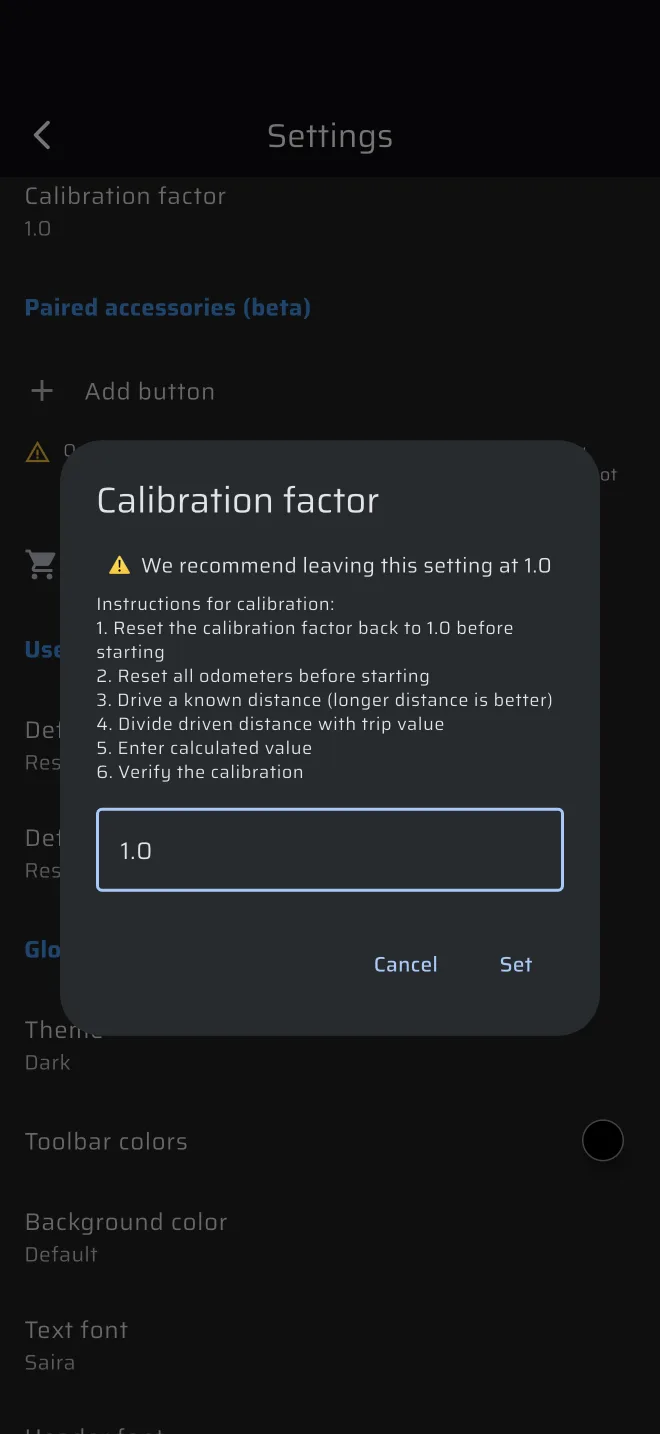
- Tap Calibration factor.
- The dialog shows We recommend leaving this setting at 1.0 and a short list of instructions. Enter the factor and confirm.
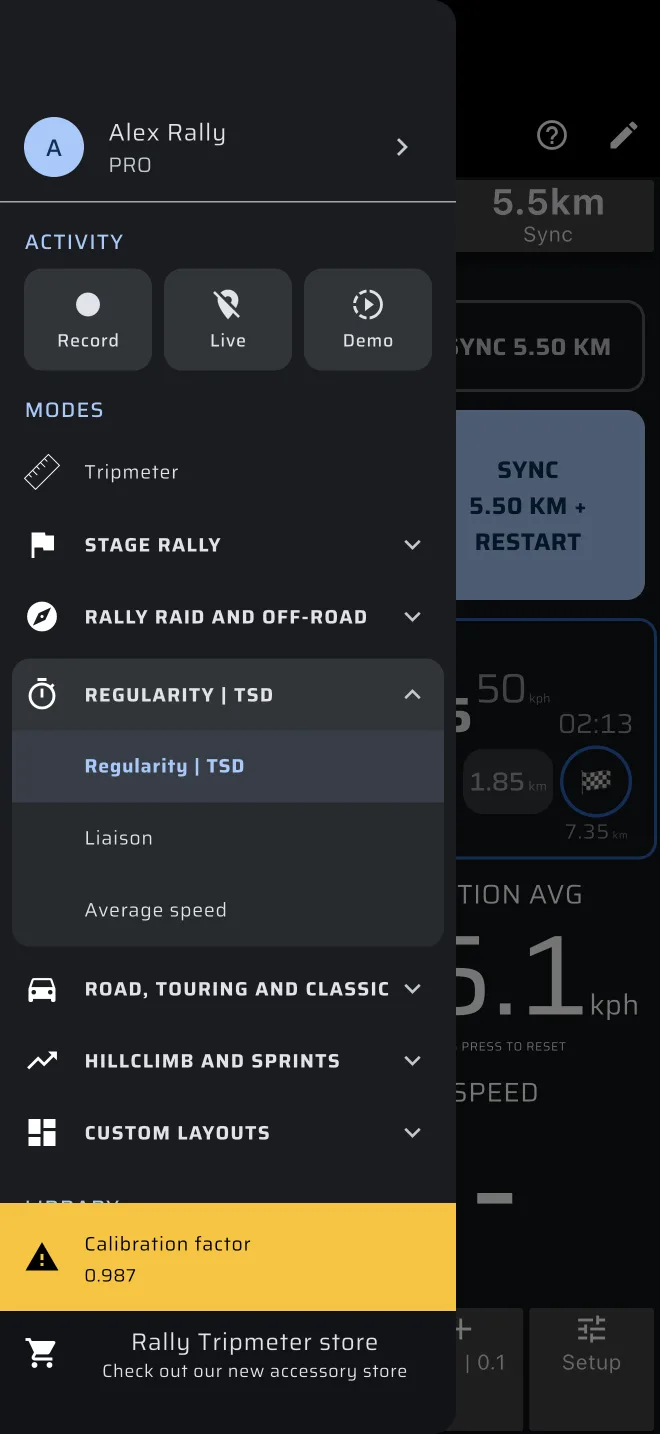
When the factor is not 1.0, an amber Calibration factor warning with the value sits at the bottom of the drawer. Tap it to open Settings. If you see it and did not set it on purpose, set the factor back to 1.0.
Find the factor
You need a section whose length you trust: a calibration base marked by the organiser, or a stretch with kilometre posts. Longer is better. A few hundred metres is too short: a few metres of GPS error would be a large percentage.
- Set the Calibration factor back to 1.0.
- Open Tripmeter. At the start of the section, tap the screen to reset Trip 1.
- Drive the section at normal speed.
- At the end read Trip 1.
- Divide the known distance by the distance on Trip 1.
factor = known distance / distance on Trip 1
Example: the base is 25.00 km and Trip 1 reads 24.52 km. The factor is 25.00 / 24.52 = 1.0196, so enter 1.02.
If you can drive the section twice, work out the factor for each run and use the average.
Then drive a section again and check. Trip 1 shows two decimals and cuts off the rest, so a difference of 0.01 km is normal.
Tips
- GPS joins its position fixes with straight lines, so on a twisty road it reads a little short. A factor above 1.0 is common on a mountain road.
- The factor corrects GPS against the organiser's measurement. It does not depend on your car or your tyres.
- A factor from a motorway will not fit a mountain road. Calibrate on roads like the ones you will drive.
- Calibrate before the event, not during it. If the trip drifts during the rally, correct the trip itself with plus and minus. See Trip toolbar.