Rally Raid
Rally Raid mode is for cross-country stages that you navigate by roadbook. It puts the Stage Timer, your heading, the section and stage trips with their averages, and the direction you have made good in the section on one screen. It is a Pro mode.
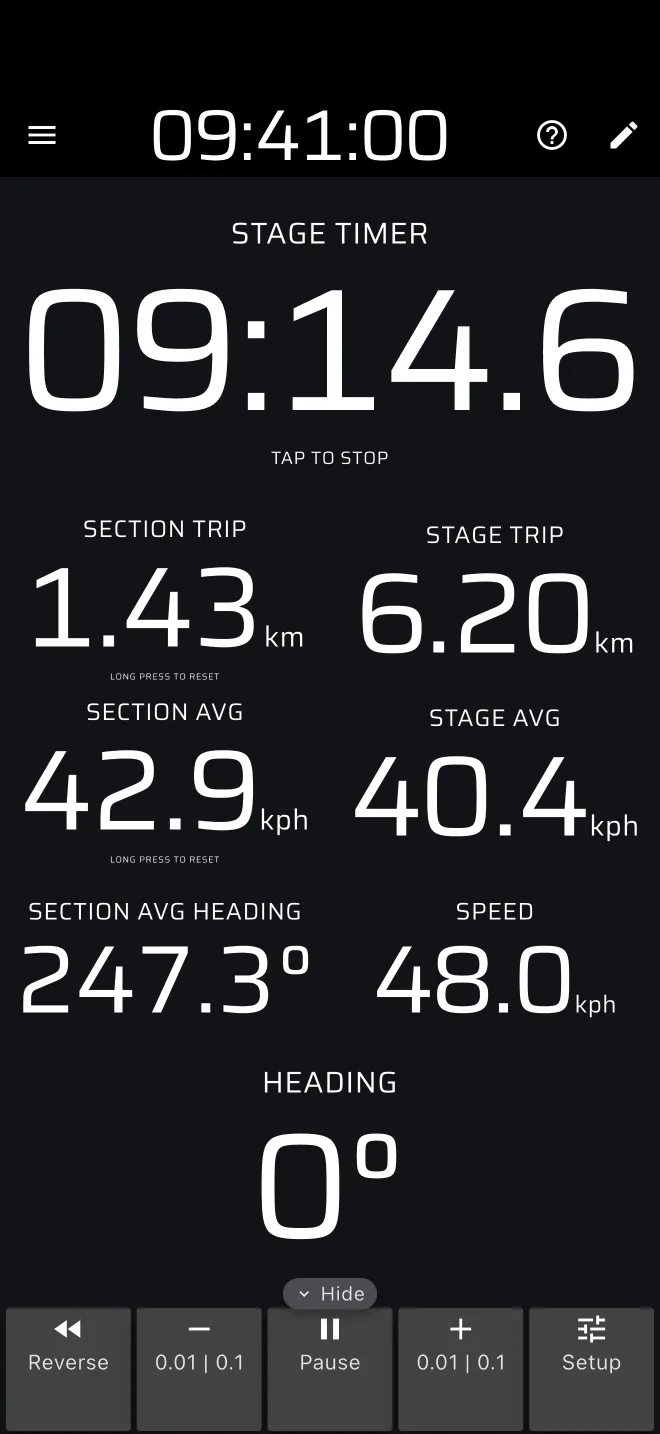
The screen
In portrait the Stage Timer is at the top, two columns of readouts are in the middle and Heading is at the bottom.
| Left column | Right column |
|---|---|
| Section Trip | Stage Trip |
| Section AVG | Stage AVG |
| Section Avg Heading | Speed |
| Component | Shows |
|---|---|
| Stage Timer | The stage time. It works exactly like the Stage Timer in Race. |
| Stage Trip, Stage AVG | Distance and average speed since the start of the stage. |
| Section Trip, Section AVG | Distance and average speed since the section was last reset. Both have the hint Long press to reset. |
| Section Avg Heading | The straight-line bearing from the point where the section was last reset to where you are now, with one decimal. |
| Heading | The GPS course: the direction the phone moves over the ground, in whole degrees. A dash when there is no course. |
| Speed | Your GPS speed. |
At the bottom (right, in landscape) is the Trip toolbar.
Heading is not a compass. At walking pace or standing still the GPS has no direction to report. Section Avg Heading is not an average of the readings and not the bearing to the next waypoint, because the app does not know where the waypoint is. Just after a reset the GPS error is as large as the distance moved, so it jumps around.
The stage
The section and stage trips need a stage. With no Race stage, the mode shows its no-stage screen: Distance, heading and stage time. It has the same buttons as Race:
- Start a stage now starts a stage at once. Tap the Stage Timer at the finish.
- Create a stage opens the stage sheet with the Race type already chosen. Choose the Start signal and the Finish signal (Tap, Time or Line), and tap Start.
- From library (when you have saved stages), Quick guide and User Manual.
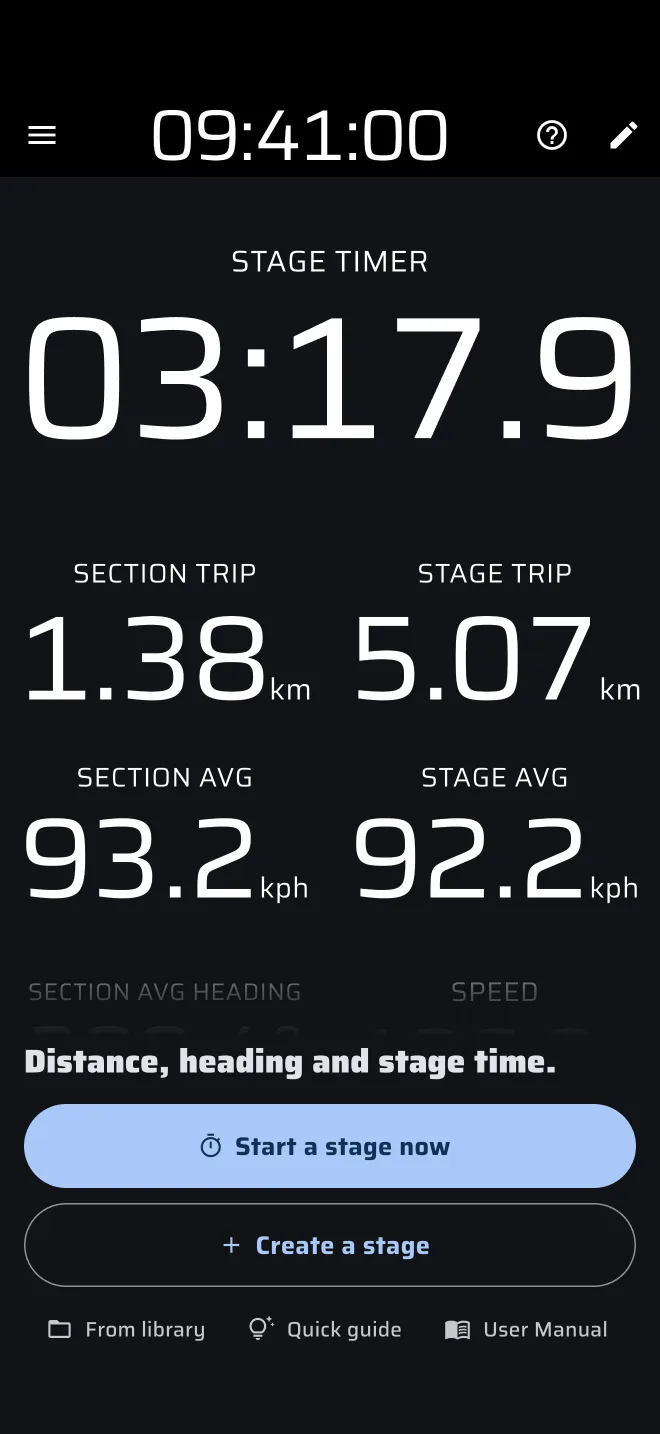
Rally Raid and Race share the Race stage: a stage you start in one shows in the other. The Stage Timer, the stage sheet and the start and finish signals are the same as in Race. The hints, the tap behaviour and the warning that a tap on the timer finishes or cancels the stage apply here too. A tap on the finished Stage Timer clears the stage, and the no-stage screen comes back.
The ? in the app bar offers Quick guide (tips on the live screen, while Demo mode drives the car) and User Manual.
Resetting the section
A long press anywhere on the screen resets Trip 1, Trip 2 and the section. A tap resets Trip 1 only, which this mode does not show. To make a tap reset the section, add Reset Section Trip to the tap actions in Settings > User inputs. Do the same for a Bluetooth button.
Plans
Rally Raid is a Pro mode. Without Pro, real driving in it uses the daily Pro fuel, see Running a stage and Licences and plans. Demo mode lets you try it without fuel.