Time controls
On road rallies you must reach each time control (TC) at a given time or inside an allowed time. Liaison mode counts down for you. This page covers what a road rally needs from it. The screens are explained in Liaisons and the time card.
Study the time card
The organiser gives the times in one of two ways:
- Fixed times: arrive at 14:32.
- Allowed times: 28 minutes from TC2 to TC3.
Some cards mix the two. The app takes both. The first control on a time card is a fixed time. An allowed time is added to the scheduled time of the previous control, not to the time you actually arrived.
Enter it in Liaison mode
- In the drawer, open Road, touring and classic and tap Liaison.
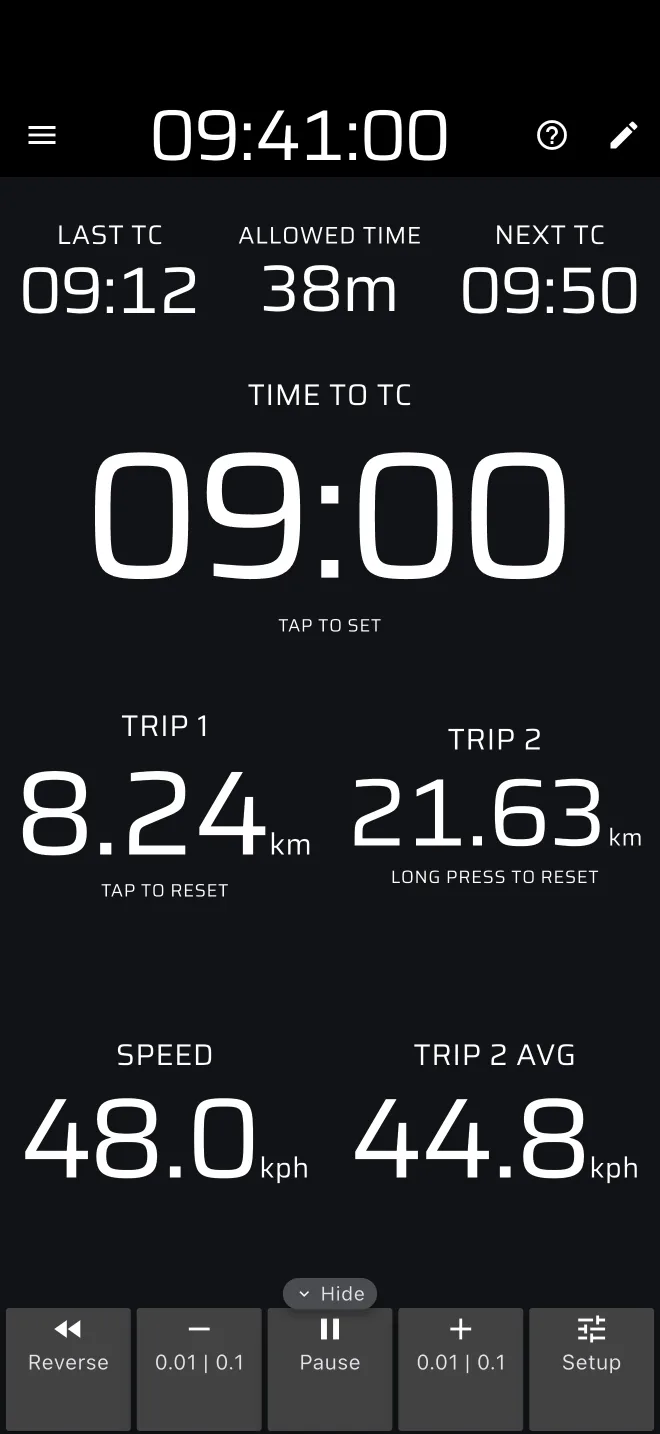
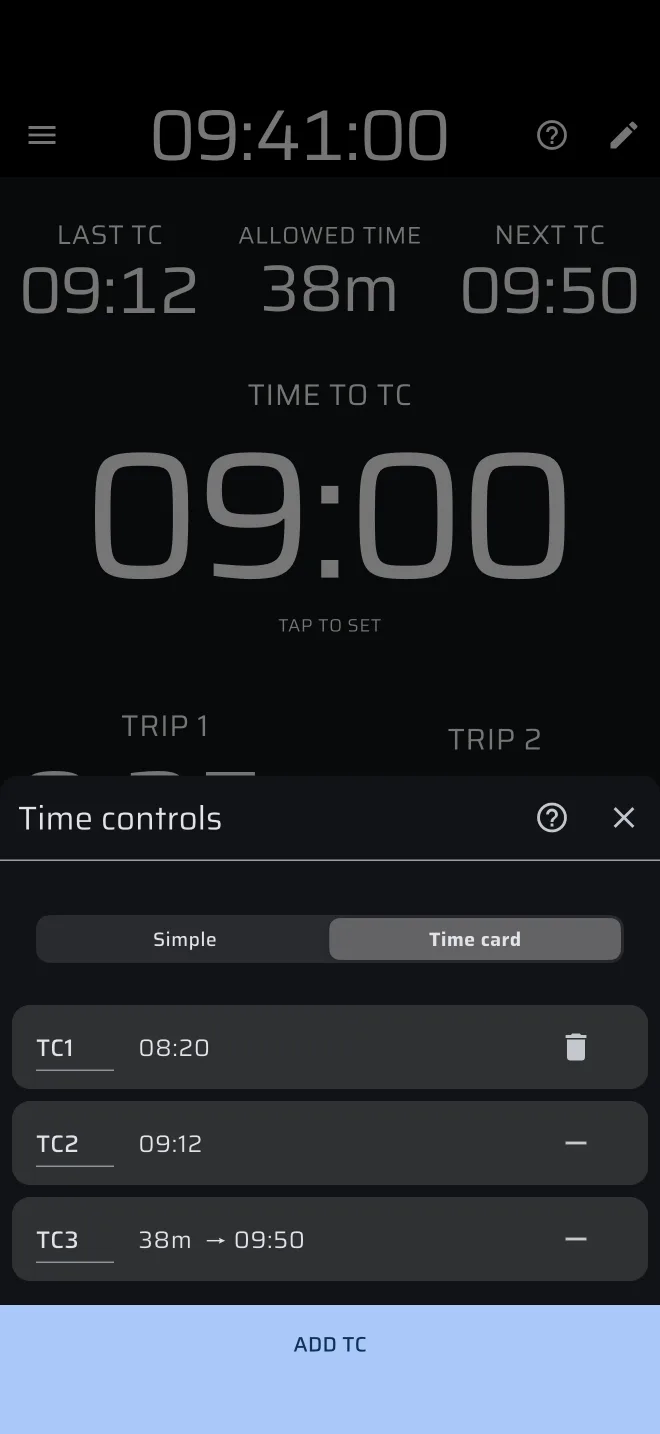
- Tap Last TC, Allowed Time, Next TC or Time to TC to open the Time controls sheet.
- Choose Simple for one liaison at a time (the last TC and the allowed time), or Time card for the whole day (every control once).
Time to TC counts down in whole seconds, rounded up, so it reaches 00:00 when the control is due.
Enter the whole card before the start, so you do not have to type during the event. In Time card the app moves on to the next control by itself as the clock passes each one. Entering the steps one by one is in Liaisons and the time card.
The time card is not saved
The times you enter are kept only while the app is running. If the app is closed or restarted, enter them again. Keep your paper time card at hand.
Liaison mode also shows Trip 1, Trip 2, Speed and Trip 2 AVG, so the roadbook distance and your average are on the same screen as the countdown.
Leaving and arriving
- Reset Trip 1 when you leave a control: tap the screen below the time area. A long press there resets Trip 2 as well. In the time area at the top, a tap or long press opens the Time controls sheet instead.
- Drive to the next control. Follow the roadbook with Trip 1, and the countdown with Time to TC.
- Arrive at the time. Many road rallies penalise early arrival, so slow down or wait somewhere safe, off the road.
- In Simple, enter the new Last TC and the next Allowed Time. In Time card, the app has already moved on.
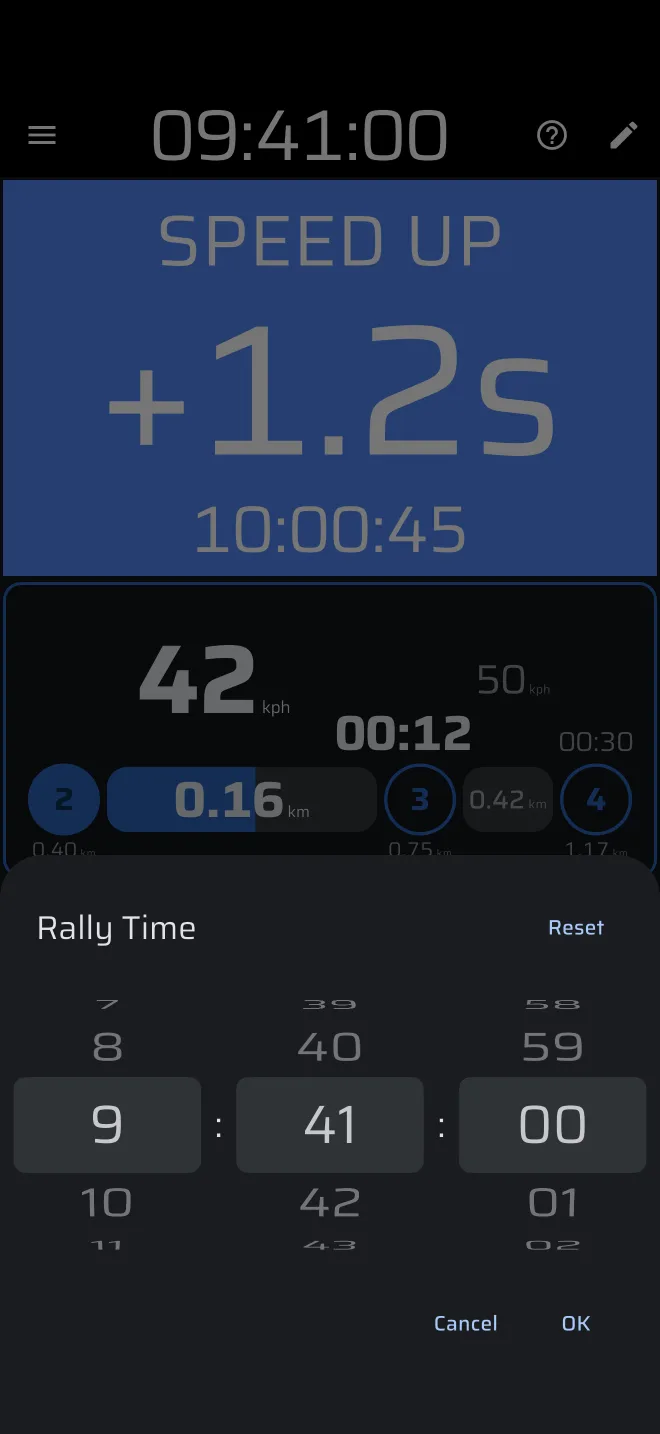
Every countdown uses the Rally Time in the app bar. Match it to the organiser's clock first, see Set the Rally Time.
Regularity sections
When the rally includes timed average-speed sections, with a target speed and penalties for being early or late, use Regularity | TSD mode. See the Regularity guide. Liaison mode only counts down to a time. It does not compare your speed with a target.