Remotes
On rough tracks the touch screen is hard to hit. Bluetooth buttons let the co-driver (or the driver) reset trips and correct distance without touching the phone. On Android, the volume keys can do the same.
Pair a button
Only buttons from shop.apphero.ee work with Rally Tripmeter. In Settings, under Paired accessories (beta), tap Add button, press the button and tap Connect. The steps are in Buttons and remotes, and every option is in Bluetooth buttons.
Keep the app open on its main screen while you drive. The app holds the connection to your buttons from there.
Useful assignments for roadbook work
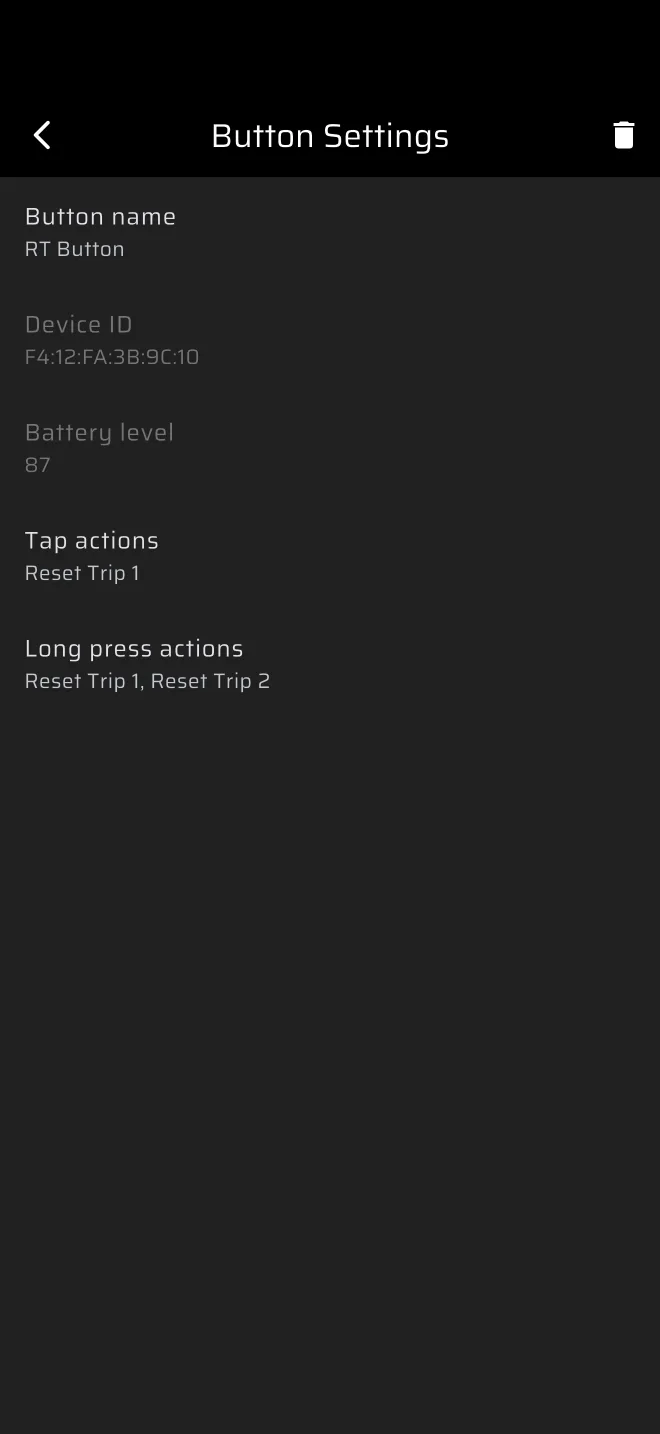
The gear icon on the button's row opens Button Settings, where you set the Tap actions and the Long press actions. Several actions can go on one press. A new button starts with Reset Trip 1 on a tap and Reset Trip 1 plus Reset Trip 2 on a long press. It does not reset the section. The list of actions is in Buttons and remotes.
An example set for a rally raid co-driver with two buttons:
| Button | Tap | Long press |
|---|---|---|
| A | Reset Section Trip (Rally Raid) or Reset Trip 1 (Tripmeter) | Reset Trip 2 |
| B | Distance +10 | Distance -10 |
Fine corrections by 10 m are quick on a button. For 100 m, put Distance +100 and Distance -100 on a second pair, or use the toolbar.
A beep to confirm
Turn on Play a sound when resetting trips and the app beeps on every button action, short for a tap and long for a long press. The co-driver then knows the press registered.
Mounting and battery
Put a button where the co-driver's hand rests and where nothing can press it by accident.
The battery level shows next to a connected button in the list, and in Button Settings. It reads "N/A" while the button is not connected. Check it before every event.
Test the buttons in the car before the start. Press each one, in each mode you will use, and check that the screen does what you expect.
Volume keys on Android
On Android, the volume keys run the same actions. Set them in Settings, group User inputs. The defaults and the rules are in Buttons and remotes.