Licences and plans
The app has a free level and two paid plans, Basic and Pro. This page says what each includes, what the daily allowances are, how to try everything without paying, and how to buy, restore, change or cancel a plan.
What each plan includes
| Free | Basic | Pro | |
|---|---|---|---|
| Tripmeter and Map | 80 km a day | Unlimited | Unlimited |
| Average speed, Recce, Liaison, Race, Regularity | TSD, Rally Raid, Custom Layout 1 to 3 | 40 km of Pro fuel a day | 40 km of Pro fuel a day | Unlimited |
- Free. Tripmeter and Map work for 80 km a day. The Pro modes run on the daily Pro fuel. The two allowances overlap, see How the two allowances add up.
- Basic. Removes the daily limit from Tripmeter and Map. The Pro modes still run on the daily Pro fuel.
- Pro. Every mode, with no limits.
- Early access. Pacenotes (in the Stage rally group of the drawer, marked Early access) and Recce recordings (under Library) are free during the beta and use no fuel. They will not stay free forever.
The modes that need Pro for unlimited use carry a PRO badge in the drawer. The badge shows only if you do not have Pro.
The 80 km and the 40 km are defaults. They can change without an app update, so you may see other numbers. Both start again at midnight on the phone's clock, also while the app stays open. Distance driven in Demo mode, during a Quick guide or on a sample stage does not count.
The plan does not limit settings, stages, history, routes, live tracking or Bluetooth buttons.
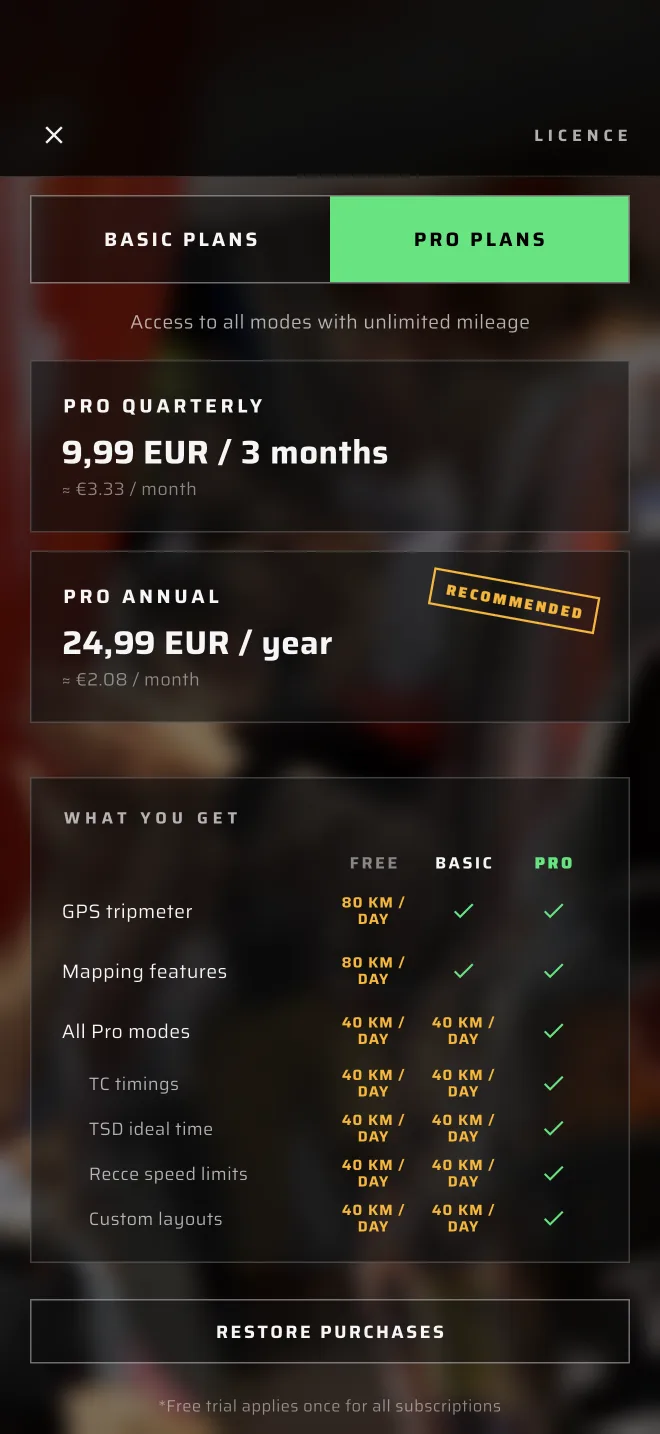
The plan screen has its own table under What you get, with the rows GPS tripmeter, Mapping features, All Pro modes, TC timings, TSD ideal time, Recce speed limits and Custom layouts. Without Pro, the Pro rows show the daily Pro fuel, for example 40 km / day.
How the two allowances add up
- Pro fuel is one tank for all Pro modes. The 40 km is shared. If you drive 30 km in Regularity | TSD, 10 km are left for Race, Liaison and the other Pro modes that day.
- The free daily distance counts every kilometre. On the free plan, every kilometre you drive with real GPS counts towards the 80 km, in any mode, Pro modes included. Only Tripmeter and Map stop when it is used up.
- So a kilometre in a Pro mode counts twice on the free plan: once as Pro fuel and once towards the 80 km. After 40 km in Regularity | TSD, the Pro fuel is empty and Tripmeter and Map have 40 km left. A kilometre in Tripmeter or Map uses no Pro fuel.
- On Basic the free daily distance has no limit, so only the Pro fuel counts.
- On Pro nothing counts.
The daily distance in Tripmeter and Map
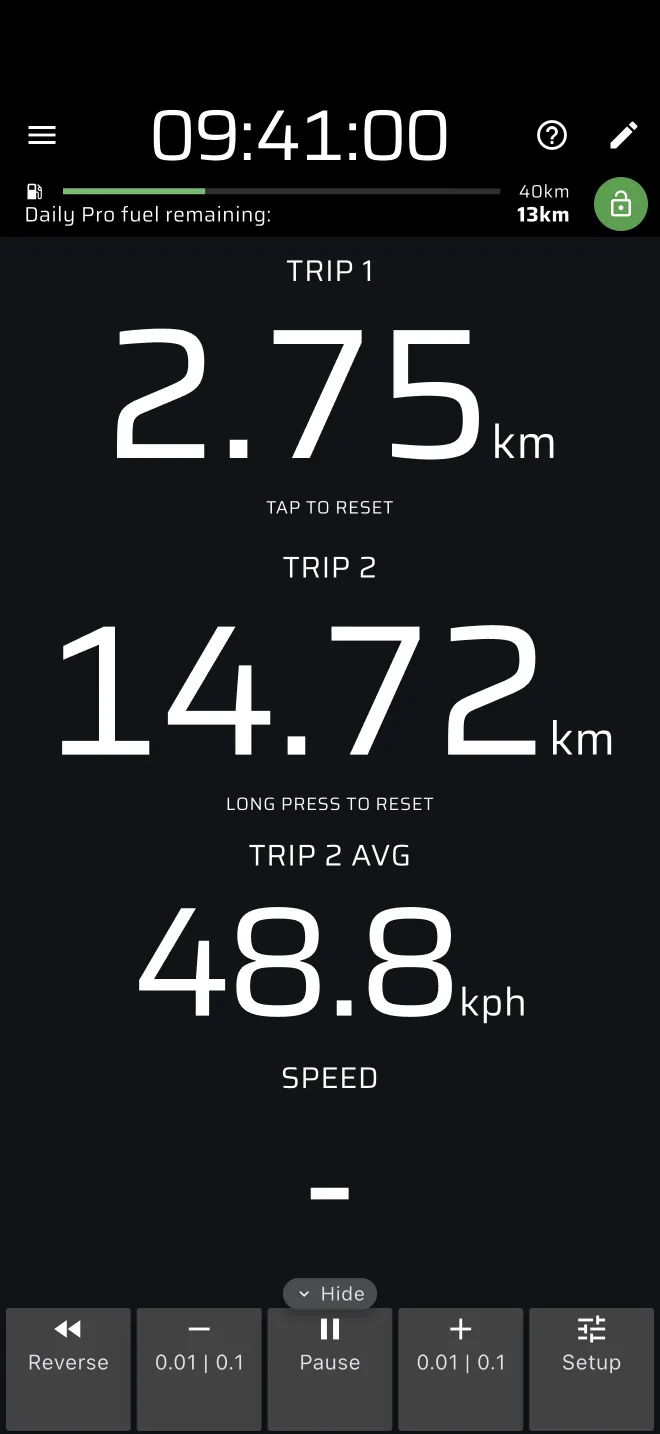
On the free plan a bar under the app bar of Tripmeter and Map shows Daily free mileage remaining and the distance left. The green button with an open padlock opens the plan screen.
When the distance is used up, the two modes are covered by a screen that says You are out of fuel and Upgrade to get unlimited fuel or come back another day. It offers Get unlimited fuel and Enable Demo mode.
Pro fuel
Without Pro, every Pro mode is open to look at and to set up. Real driving in a Pro mode uses the Pro fuel, a free daily allowance of 40 km, shared by all Pro modes.
- A bar under the app bar of each Pro mode shows Daily Pro fuel remaining and the distance left. Tap it to see the Pro plans.
- The stage sheet shows Free Pro fuel left today above Start.
- The fuel is checked when you arm a stage: when you tap Start in the stage sheet, or start a finished stage again. A stage that is armed always starts. A stage that runs always runs to its finish, even if the fuel runs out on the way.
- When the fuel is used up and no stage is armed or running, the Pro mode is covered by You are out of fuel and Today's free Pro fuel is used up. Go Pro or come back tomorrow. It offers Go Pro and Enable Demo mode. A stage mode with no stage keeps its no-stage screen open: its Quick guide and sample use no fuel, and Start opens the out-of-fuel sheet.
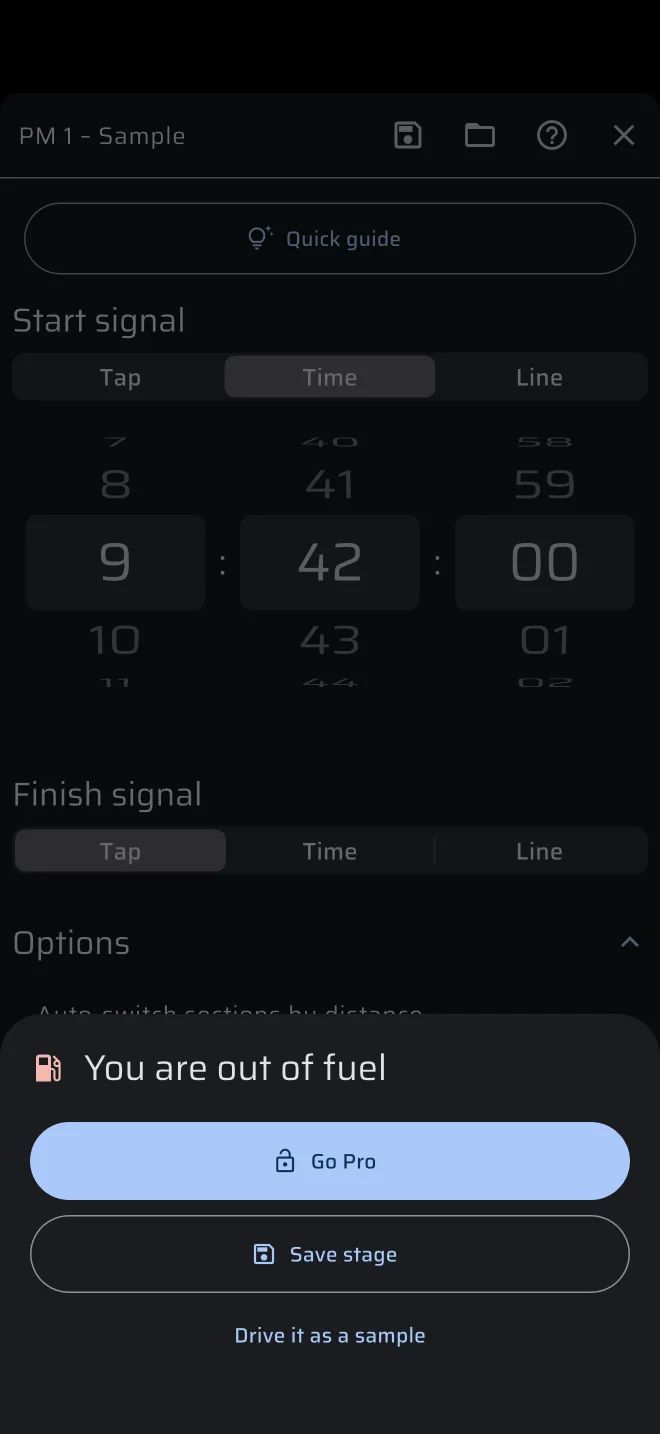
If you tap Start with no fuel left, a sheet You are out of fuel opens instead:
| Button | What it does |
|---|---|
| Go Pro | Opens the Pro plans. |
| Save stage | Saves the stage you entered to the library, so you can drive it another day. |
| Drive it as a sample | Regularity only. Drives your stage with a simulated car, to practise it. |
A press of a Bluetooth button with Start/Stop special stage, with no stage waiting and no fuel left, gives a buzz and opens the same sheet, with Go Pro only.
A locked Pro mode
When Pro fuel is not available, a Pro mode is locked completely for users without Pro. It is covered by This mode is only available in Pro version, with Try for free (when a free trial is available) or View options, and Enable Demo mode. On Basic the buttons are Upgrade to Pro and Open standard Tripmeter.
Try everything with Demo mode
In the drawer tap the Demo chip. The Demo mode sheet opens. Tap Start demo. The app then simulates a drive instead of using GPS, and every mode opens, with no fuel used. The chip turns amber and a red bar, Simulating location, has a speed stepper. Tap the amber Demo chip, or the bar (Tap to stop demo mode), to leave.
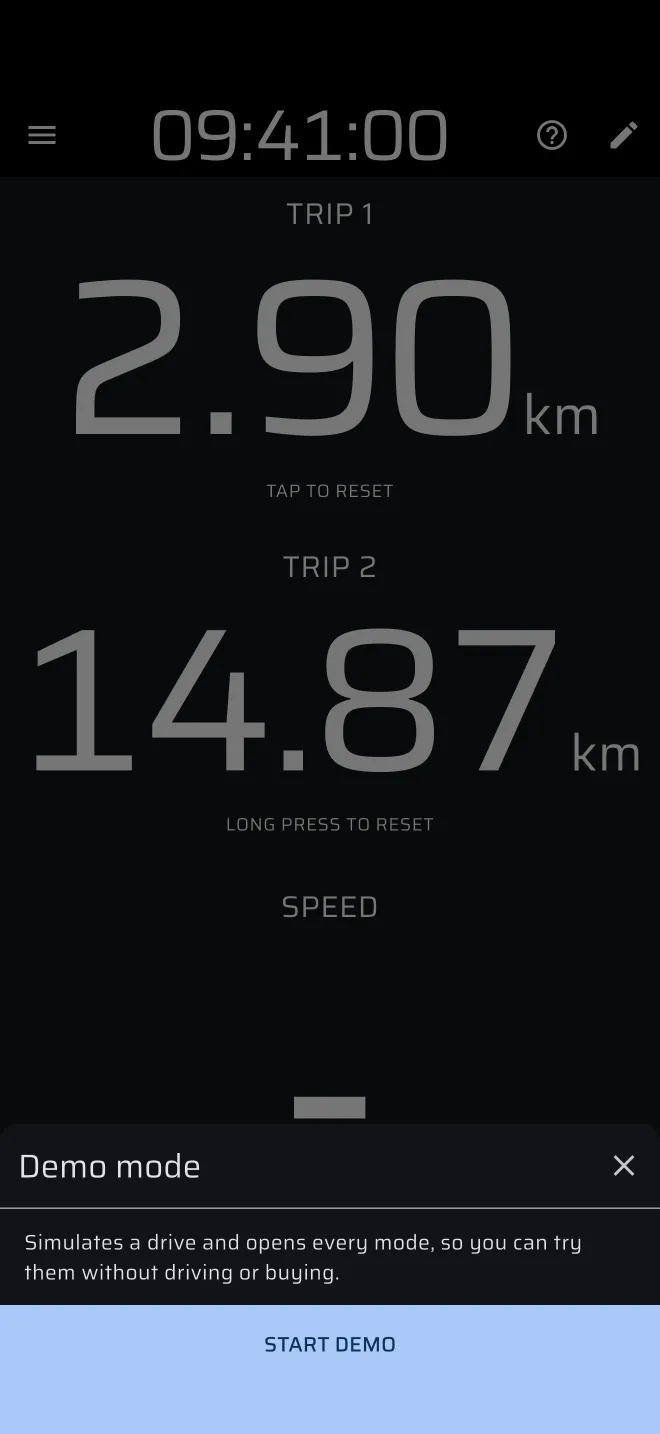
The demo car starts where the phone last had a position. Without one, it starts on a road in south Estonia.
Use it to learn a mode at your desk before you buy. A Quick guide also turns Demo mode on while it runs, except the Regularity | TSD guide, which drives its own sample stage. See Quick guides.
Buy a plan
- Open the drawer and tap the account header, which shows your plan. On the Account screen tap View options (or Change plan if you already have a plan).
- Pick Basic plans or Pro plans at the top.
- Pick a plan. Basic is yearly, Pro is quarterly or yearly. The screen shows the price in your currency and a Free trial where one applies. The free trial is available once for all subscriptions.
- Confirm in the store sheet. The purchase is handled by the App Store or Google Play.
When the purchase is through, the screen says Your licence is active. Time to drive.
Restore, change and cancel
- Restore Purchases. On the Account screen, and at the bottom of the plan screen. Use it after a new phone or a reinstall. If nothing is found, the screen says No purchases found. Guests also see Log in there.
- Change plan. On the plan screen pick another plan. Moving from Basic to Pro is an Upgrade, the other way a Downgrade. You can change at any time.
- Cancel or manage. On the Account screen tap Manage in the plan card, or on the plan screen, under Active subscriptions, tap Manage. It opens the App Store or Google Play subscriptions. Cancel there. A plan that the developer gave you directly cannot be managed in the store, and the screen says so.
The plan belongs to your store account and also follows your sign-in. See Account and sign-in.